Thursday, 26 September 2013

Different types of multimedia


Navigation Bar
A navigation bar is a user interface element within a webpage that contains links to other sections of the website. In most cases, the navigation bar is part of the main website template, which means it is displayed on most, if not all, pages within the website. This means that no matter what page you are viewing, you can use the navigation bar to visit other sections of the website.

Navigation Menu
The Navigation menu is basically a drop down menu located on the Navigation bar. When you hover over the navigation bar a drop down menu would appear and a variety of buttons will become accessible. 

Navigation Rollover The term rollover in this regard originates from the visual process of "rolling the mouse cursor over the button" causing the button to react, and sometimes resulting in a change in the web page itself.

 Animated Graphics The term "animated graphics" can cover many things, from flash SWFs to animated GIFS to banner ads. Basically an animated graphic, by the simplest breakdown, is any picture that has more than one frame and manages to depict movement of some form or another. Technically this includes animated TV, although when we think of animated graphics, we rarely think of cartoon shows and movies. In common vernacular, "animated graphic" really only applies to animated images for the web.

Animated GIFs
A type of GIF image that can be animated by combining several images into a single GIF file. Applications that support the animated GIF standard, GIF89A, cycle through each image. GIF animation doesn't give the same level of control and flexibility as other animation formats but it has become extremely popular because it is supported by nearly all Web browsers. In addition, animated GIF files tend to be quite a bit smaller than other animation files, such as Java applets.
 Web Banners Also referred to as a banner ad, a banner is a typically rectangular advertisement placed on a Web site either above, below or on the sides of the Web site's main content and is linked to the advertiser's own Web site. In the early days of the Internet, banners were ads with text and graphic images. Today, with technologies such as Flash, banners have gotten much more complex and can be ads with text, animated graphics and sound. Most commerce-related Web sites use banner ads.
Logo Graphics
Logos are used for the visual or graphical representations of businesses. They brand businesses and can help in the identification of a brand position in the mind of people. Logos also create a concept that encapsulates the ideal or flavour of what businesses represent. Logos are also used by companies and organisations to promote instant public recognition. A logo uniquely identifies the company to the customer as well as setting it apart from other businesses.
Screen Icons
An icon, is a picture which usually stands for a
computer program, computer file, folder, or an action for a program to do. Icons are usually small pictures, but not always. Sometimes the user can change what size an icon is.
BackgroundsOn your screen, located on a website, these go behind the content. They could be flat colour images, gradients, images or anything that you want, to add interest to the website.
Texture Graphics
Texture graphics are graphics that are used to create a good looking environment, like in a game a texture graphic would be used to create a road looking graphic.
This adds interest to a website or a game because it creates realism and a mood.


Wednesday, 25 September 2013

Advantages and Disadvantages of eCommerce.


Advantages
 
Global marketplace - With a global marketplace, this means that the organisation offering ecommerce to customers can make the online store available to people from around the whole world, and offer shipping to them, maybe for a extra fee. This is an advantage as anybody, providing they have a internet connection, can purchase from the ecommerce store, and including the shipping fee, this will bring in more profit for an organisation.

24/7 Trading - Having an online store means that it is accessible 24 hours a day, 7 days a week, this means at any point a customer can purchase from the store, so if they went to a physical store, it could be closed. This means more customers will purchase online whenever they can, making more money for an organisation.

Low start up and running costs - If an ecommerce online shopping system is created, it does not take much money to begin for the customers, and to keep it up and running does also not cost much money. Where as in a physical store an organisation would have to pay workers money for operating tills and whatever other tasks they are assigned to do.

Gathering customer info - When customers use an online shopping system, they will be required to enter in personal details, including location details, this then means the organisation will have this information to use in the future. Whether it be to post letters and leaflets through the letterbox, or to just remember in general for the next time a customer uses the service. Also, the card and payment details will be stored for future use.

Money - ecommerce generates lots of money for the company that uses the service, as many people would prefer to shop online, and most companies will offer products at a more expensive price online, they also add a delivery fee a lot of the time, making more money than somebody shopping in store.
Disadvantages
Money - Money is some cases could be used as a disadvantage, as having a website for ecommerce professionally designed could cost quite a bit of money. The charity relies on donations, so it will not be able to afford a professional website. You could use a template website, this will be cheaper, although it would not be original and would not look professional.

Staff - A company will need plenty of staff to keep up with the website and to make sure its maintained, these members of staff will need to be expertise and be familiar with everything. This will take time and will require suitable training.

Website - If the website was to crash/go down, then no one would be able to access it and purchase things, leading to a loss in money. The charity would then have no income from the website, forcing them to rely on the shops.

Online security - The web is a dangerous place, many fraudsters and hackers are about and they could target a ecommerce website, leading to serious consequences. Data could be stolen from the charity, money could be taken and the reputation could be damaged.

Server - A ecommerce website will need to be fairly big so it can host many people on there at one time, this server will also cost money to set up and run. Servers can get DDOS attacks, forcing the server to shut down and get hacked.

Wednesday, 4 September 2013

eCommerce Technologies.

Introduction
ecommerce is using online services/websites to purchase items or purchase downloadable items over the internet or other electronic systems, below is a list of hardware, software and other things you or a business will need to create a successful ecommerce website/service.


Web authoring tools.

Web authoring tools are applications you can usually find/get for your computer, that are used for creating a website. Two good examples of these are 'notepad, which comes with the windows operating system. This can be used to create a website by typing the text as HTML and saving it as '.HTML' another piece of authoring web software is Adobe Dreamweaver, this is much easier to use.


Storage sizeStorage size, is the amount of data on a hard drive disk or even in webspace/on a webserver. The more space/storage you have on a webserver, the more tools used for ecommerce your website can contain, and the faster it will be. This could also allow more people to use a service that you are providing.


Domain name
The domain name is the address for your website, which is entered into the search bar to make the website visible. This is paid for so you can have your own custom one, making it easier to access/remember. For example, this website 'Blogger.com' tells you that it is a blogging website and its available worldwide. That is what the '.com' part of the address means.


Platform
The platform used is the operating system used to access the website and ecommerce, operating systems like: Windows, Linux and Mac. Some platforms are more secure than other ones. Such a Linux.

Database SystemsA database system is often used in ecommerce, for example, when an item is purchased, the information of the customer could be put into a database for research purposes, or simply for future reference. Information will also be taken about the purchased item and its cost etc. I would recommend Microsoft Access as it is included with the office suite and will not cost any more money.

Web browserA web browser is the application used for browsing the internet, some are faster than others, some are more secure, and some are better overall. Popular web browsers are ones like: Google Chrome, Mozilla Firefox, Internet Explorer and Safari. These will display the HTML content as readable pages.

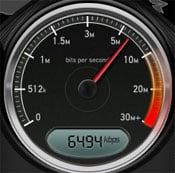
Download speedsDownload speeds will be a big factor when using ecommerce, the slower your download speed, the harder it will be to access the website in due time, also if purchasing something online that requires you to download it, a faster download speed would be recommended. Faster download speeds will allow you to access the correct webpage faster, you would be able to download faster, and everything on the webpage would load faster, bad download speed/internet could completely ruin the transaction.


Web server
W
eb server is the hardware and software using on the webpage, or what's using to host the website, this is saved as HTTP, which is a web-server. Web servers also handle errors and report faults. They are protected behind a firewall.

NetworkingNetworking is the exchange of data between computers basically, the connection is made through a wireless connection/wireless media, or through connected connection/connected media, in ecommerce, there is likely to be a computer that obtains the information you send when purchasing something. TCP is transmission control protocol and this sends and receives packets of data between applications. Where as IP is internet protocol, and is the communication between computers. There are different port numbers where the data goes through, two of these are Port 25 which routes the mail. And then port 80 routes the website data.